Peak season 2026: The server-side guide to protecting your holiday sales
Romain Baert, Managing Director Server-Side Tagging at Didomi, examines the challenges companies face during the holiday season, and how server-side tagging can help.


The yearly “peak season”, starting with Black Friday and running all the way to the new year, is upon us. During this time, your campaigns will run on record budgets, driven by algorithms that have never needed cleaner signals more.
If 10 to 15% of your purchases never reach Meta and Google, you pay to retarget customers who already bought, and Performance Max ends up optimizing without your best sales.
In this article, we cover three things you can fix now (without needing a development sprint): campaigns that can’t see all your sales, ad blockers and Safari, and page performance.
What’s at stake: A few weeks that decide the year
The end-of-the-year period is notoriously intense for e-commerce professionals and retailers, and the numbers show how much money moves in these weeks:
- $275.1 billion in US online sales forecast between 1 November and 31 December 2026, up 6.7% year on year (source: Adobe)
- $14.6 billion in global sales by Shopify merchants over the 2025 Black Friday Cyber Monday weekend, up 27% year on year (source: Shopify)
- $12.9 billion in US online sales forecast for Black Friday alone, up 9.2% and growing faster than Cyber Monday (source: Adobe)
- £14.0bn in UK advertising investment forecast for Q4 2026, up 8.2%, with retail media growing 16.2% (source: Advertising Association/WARC Expenditure Report)
More advertisers in the same auctions tends to push CPMs and CPCs up, meaning a conversion that never reaches the platform costs more during peak season than at any other time of year.
The year’s target is essentially decided in five weeks, and the algorithms that will spend that budget (Performance Max, Advantage+, Smart Bidding) decide based on what you send them.
This leads us to three key challenges you need to address during peak season.
First challenge: Your campaigns can’t see all your sales
Ad platforms can only retarget well if they know who bought and who didn’t, and since the end of third-party cookies in Safari and Firefox, the browser no longer tells them for a growing share of your audience.
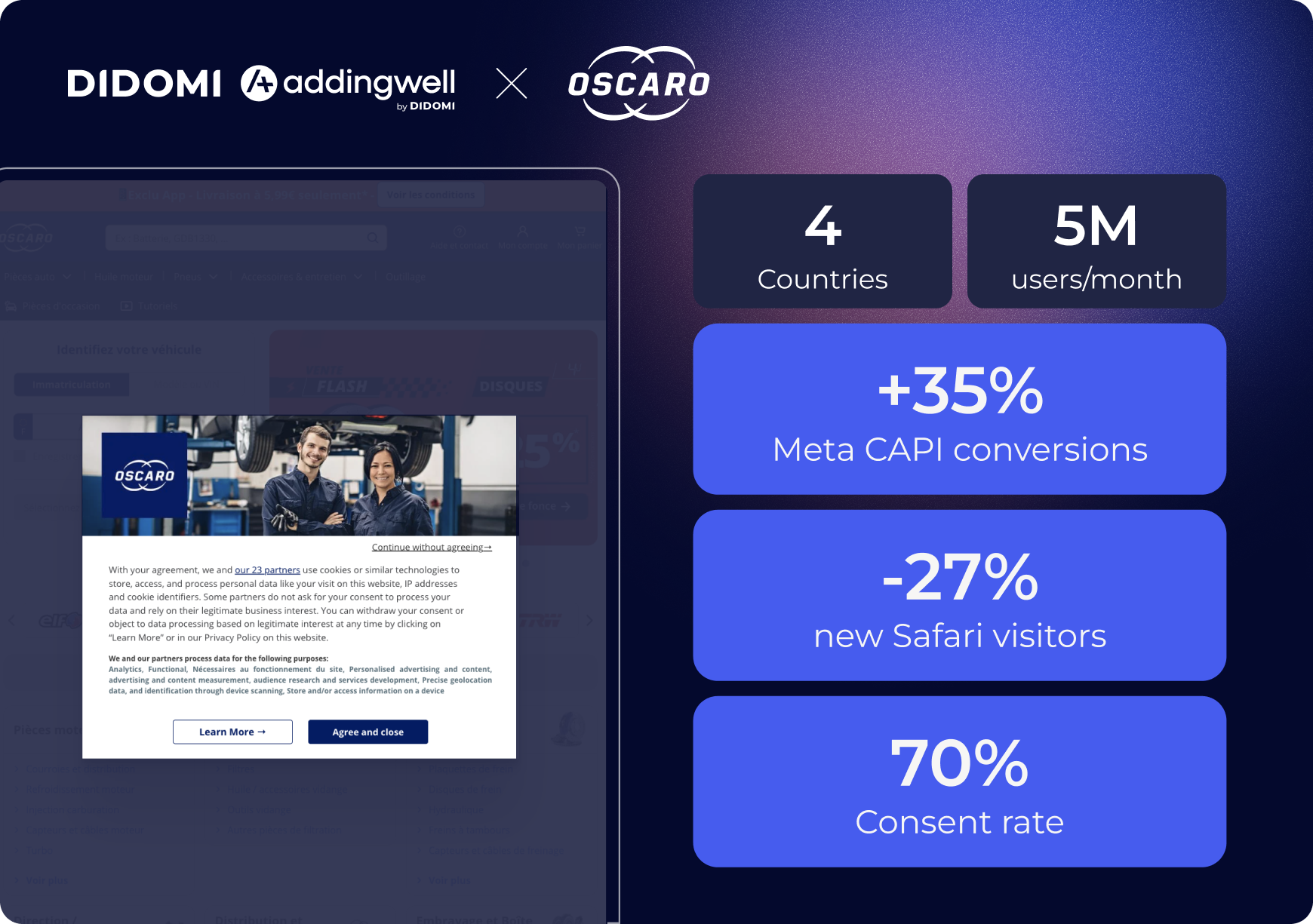
Server-side tracking restores the flow by sending each event from your own server straight to the platform's API. Oscaro was able to measure the difference, with 35% more conversions reported to Meta through the Conversions API than with the pixel alone, and a GA4 versus back-office gap cut from 10% to 4-5%.
But even with server-side tagging implemented, two things can still go wrong in practice.
First, one API is not enough.
Meta popularized the Conversions API, but every platform now expects its own server feed: Google, TikTok, Pinterest, Snapchat, LinkedIn, Microsoft Advertising and, since this summer, OpenAI. If your peak-season campaigns run on four platforms and only one is connected, three budgets out of four are optimizing blind.
Second, a tag that fires is not an event that was accepted.
Every API answers each event with a status and a message. A purchase sent without a currency is rejected by Meta with an error code, not an alert. As a result, even though the order exists and the sale is real, the algorithm never learns about it.
This is the most common mistake we see in e-commerce setups: the missing currency on the purchase, a value sent as text, and no transaction ID.
What to verify
Check these before your next big campaign day:
- Server tags: Connect one for every platform that spends budget in peak season, each with a valid access token.
- Event schema: Check the standard e-commerce events end to end (view_item, add_to_cart, begin_checkout, purchase), and make sure the purchase carries value, currency, transaction_id, and items. Platforms only optimize on standard events with the expected parameters.
- Deduplication: Send the same event_id on the browser and the server event. Otherwise, the platform counts the sale twice and your CPA looks better than it is.
- Consent: Forward the visitor’s choice to every server tag, refusals included. Some platforms treat a missing consent field as granted.
- Platform responses: Read the status and message each API returns. In a standard server container, they only show in the logs or in Preview mode, which nobody opens on a peak-day afternoon. Use Addingwell’s Events Monitoring to see, per tag, the share of responses in error and the message behind it, or filter your server container logs for 4xx responses every week of the season.
- OpenAI Ads: Track conversions through the API from the first campaign if you test it; otherwise, you can’t compare its cost per acquisition with Meta or Google. Use our OpenAI Ads server-side guide and the OpenAI tag template for server-side GTM to send conversions with consent attached.
Second challenge: Ad blockers and Safari stop part of your data before it’s sent
Data that never leaves the browser can’t reach any platform, even with server-side tagging. Two blind spots remain.
First, ad blockers still catch part of your traffic. In a standard setup, 10 to 15% of desktop visitors are blocked at the very first call, because filter lists recognize signatures like gtm.js?id=GTM- and /g/collect. Those buyers never send a purchase, so they stay in your retargeting audiences, and you pay to reach customers who have already converted.
Second, Safari shortens your cookies. Its tracking prevention caps cookies set in JavaScript at 7 days, and at 24 hours when the visitor arrives through a click ID link (gclid, fbclid). A customer who clicks your ad on Monday and buys on Friday is counted as a new visitor, and the purchase is attributed to no click.
Club Med saw a 34% increase in Safari and iOS traffic tracked beyond 8 days.
What to verify
- Libraries: Serve the GTM and GA4 libraries from the Addingwell CDN, under a URL that filter lists don’t recognize.
- Ad blocker handling: Switch on Dynamic Ad-Block Bypass, and move to a reverse-proxy path if your tracking subdomain is on a filter list (follow our guide).
- Cookie lifetime: Set up reverse-proxy DNS and turn on Cookie Restoration for a 13-month lifetime (learn more about Safari ITP).
- Safari test: Click one of your own ads in Safari, then read the expiry of the _ga cookie. If it reads 7 days or 24 hours, your cookies aren’t protected yet.
Third challenge: Your pages carry weight they don’t need
Sites slow down during peak periods, and slow pages cost conversions. Your engineering team owns the servers, the CDN, and the checkout, but part of what your pages load comes from your GTM container. Three things you can have an impact on:
First, tags you no longer need. Many containers still carry a pixel from a platform tested two years ago, or a tag from an attribution tool that was canceled. Each one adds requests and milliseconds to every page, and keeps receiving your visitors’ data.
Second, the order confirmation page. Analytics, affiliation, media platforms, the attribution tool, and the review widget all fire at once, resulting in ten to fifteen third-party requests on the most critical page of the journey, at the busiest time of the year.
Third, the Meta SDK. Many setups still load Meta’s JavaScript SDK alongside the pixel, and it can account for a large share of the container’s weight.
Damart removed Meta’s JavaScript SDK from its pages and reported better load times and Core Web Vitals:
We clearly improved our website performance.
- Matthieu Debondues, Acquisition Manager at Damart
What to verify
- Container: Export the tags from your web container, cross-check them with the platforms that invoiced you this year, and pause everything else. Keep the previous container version to restore any tag you missed. It takes about 30 minutes.
- Purchase tags: Route every purchase consumer through the server (GA4, Meta, Google Ads, TikTok, your affiliate network, your attribution tool). The browser then sends one request instead of ten to fifteen, and your conversions no longer depend on the customer’s browser. Deduplicate with transaction_id so a page reload never creates a second sale.
- Meta SDK: Remove it and keep the pixel. Our Meta Conversions API tag sends the event from the server, then returns a response that triggers the pixel call without loading fbevents.js. It’s one of the few performance fixes you can ship without an engineering ticket.
Your peak season checklist
It’s not too late. Addingwell and our partners can help
Server-side tagging can look like a big project, but most of this checklist comes down to settings and tag templates, not development work. The Addingwell console covers the CDN libraries, Dynamic Ad-Block Bypass, Cookie Restoration, and Events Monitoring, and our documentation walks through each step.
If you’d rather not do it yourself, you don’t have to. Our team and our network of partner agencies run server-side setup audits ahead of peak season and can implement the fixes with you.
Book a call with our team to discuss your options.
The author